
Create a Credit Note:
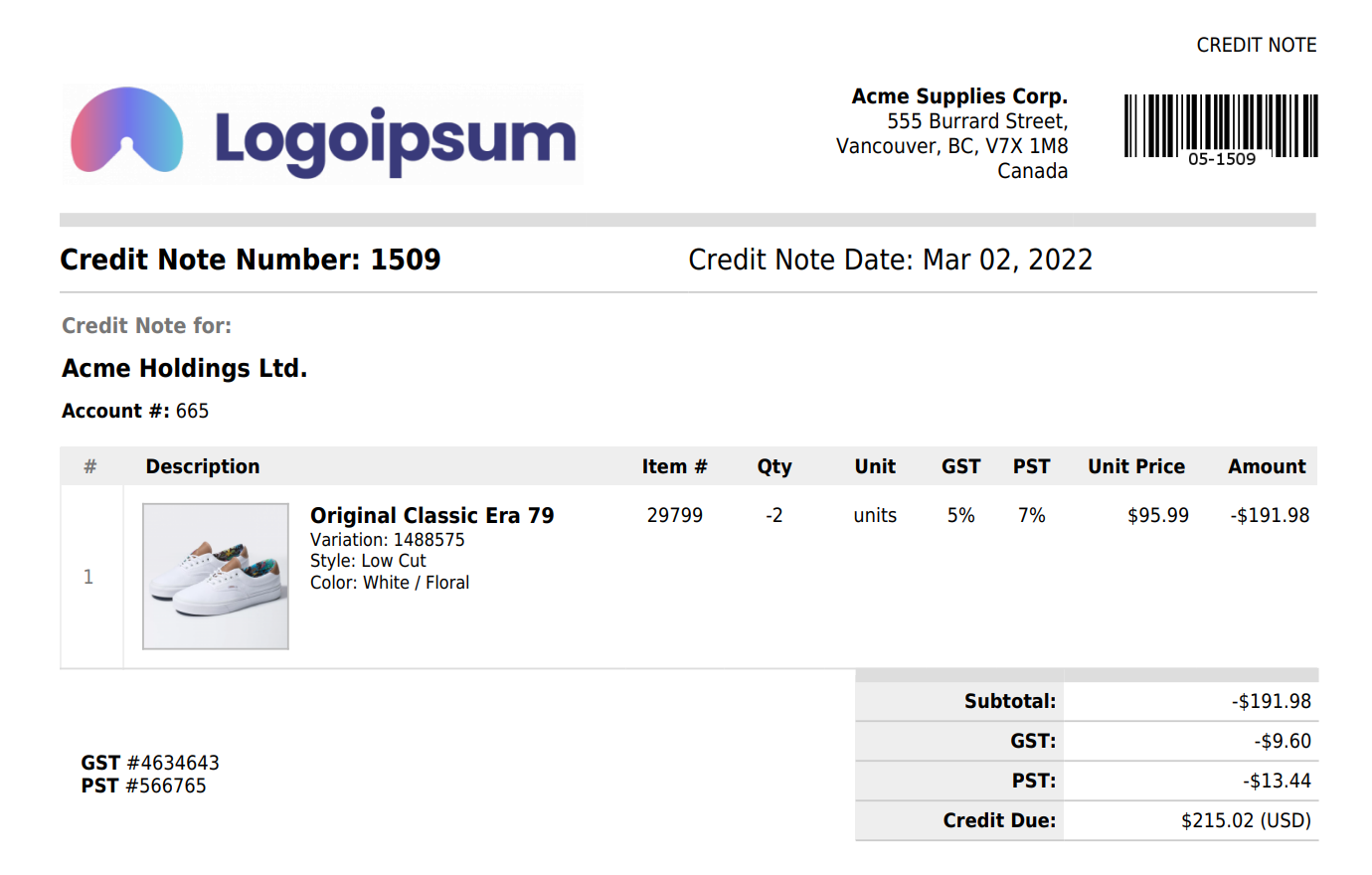
You can create credit notes in SalesBinder the exact same way you create your invoices – the only difference is you would enter your quantities as negative values for the units being returned.
When you create an invoice with negative quantities, it's automatically labeled as a "Credit Note" on your customer facing PDF file. The negative quantities are placed back into your inventory so everything remains accurate, and you can apply a credit/refund to the document which represents any monetary amount given back to the customer.
Adjust the existing Invoice:
An alternative option you also have, if the invoice isn't already paid in full you can always edit the quantities on the invoice so that it matches what the customer ended up with. This wouldn't show a record of anything being sold and then returned, but this way you won't need to charge them for the full amount and then provide a refund.